Disk Storage

R&D Automation to Produce 2nd Run of CFFA3000 Cards

R&D Automation announced in a blog posting last week that they will be producing a new run of the CFFA3000 cards for the Apple ][.  The CFFA3000 is a card which allows the Apple ][ to use Compact Flash Cards and USB Thumb Drives for hard drive storage of disk images.  According to the R&D Automation website, "We are now in the process of getting final quotes on parts for run #2 of the CFFA3000. We hope to be placing orders for the parts this week or next. We have not made a final decision on the run size yet, but we are looking at quantities of 400 and 500. The price of the next run will likely stay the same at US$149.95. It should be available in summer of 2012.

We are also adding support for image file directories to the firmware and making a lot of optimization to speed up all disk operations. Time permitting we will also be looking into DMA support, but there is still much work to do before we have something to test.

The previous run of cards sold out in a matter of days after the much anticipated update was released.  The specifications of the new card are as follows:

  • A CompactFlash / USB flash drive interface for Apple II family of computers
  • Support 1 to 13 partitions under ProDOS and GS/OS, and 2 virtual floppy drives
  • Virtual Floppy image support allows the use of almost any non-copy-protected floppy disk image, including .dsk, .2mg, and .nib files. Note: .nib files of protected floppies will not work with the CFFA3000
  • Allows storage of thousands of floppy and smartport disk images
  • User configurable partition count
  • Boot from either device and any partition
  • Allow booting from Dos3.3, Pascal, CPM, Contiki, ProDOS or GS/OS directly from the Interface card (for a floppy-less system)
  • Configurable as a CFFA smart port controller (i.e. a mass storage device) or as a floppy controller, or both. When configured as both, requires 2 slots in your Apple II, one for the physical card, and one for the virtual floppy controller.
  • Hardware supports DMA, although v1.0 software does not currently support DMA. Future support is planned, but not guaranteed.

To order a CFFA3000 Card, you will need to email Rich Dreher, the proprietor of R&D Automation using the “email me” link on his sales webpage at:

http://shop.dreher.net/

Booting from IDE drive when there are SATA drives

This is a generic sort of article… I have only tried it on one type of machine but this advice may prove useful in other situations.

As regular readers know, I volunteer at an educational non-profit organisation every Friday as a systems administrator.One of the privileges is I get to borrow a computer every so often for one of my projects. In this case I had a computer I was using as a file server (using FreeNAS v7.x). Since I had it for over three years I figured it was time to get something a little newer. A client returned a Dell GX 270 because he no longer needed it. I asked and was granted permission to replace the older machine with this one.

At first I only had two hard drives to work with. The first was the hard drive from the old computer and the second was the drive from the new one. I was able to boot from the old drive with no problem. Adding in the new drive so it would be accessed over my LAN was also easy. I had a third drive. It was a 500GB SATA drive. I had everything but the power adapter so it took a few days to connect.

The SATA drive was one I had in my Linux box before the motherboard died. It still had all the information as well as the master boot record intact. Once it was added into the 270 it wanted to take over. Like Macs there is an option which allows the user to select which drive to boot from. For a file server that’s not an acceptable solution. In this case it didn’t work very well either. The boot process was hung for 15 minutes…

After a bit of research on the net I found the solution was to boot from a rescue CD/DVD and toggle the bootable flag on the first partition on the hard drive to off. From that point things worked fine. I don’t know if the hard drive works or not since it was only yesterday I added it to the machine. Assuming there are no hardware problems I should be able to do a bunch of neat things like create virtual machines which are stored on  the LAN, set up a private iTunes server, and back up the Mini I am using at the moment…

Smartport VHD Sample Has Been Released

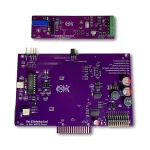
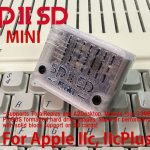
The first sample of the Smartport Virtual Hard Drive for the Apple //c has been released.  The sample shown on the SmartportVHD Website by Cedric Peltier is largely ready for production.   Cedric says in a posting on CSA2 that “Some minors details have to be reviewed before the public availability, but the device start to see the light”

R&D Automation Announces New CFFA 3000 Release Candidate Firmware

R&D Automation, makers of the CFFA Compact Flash drive card for the Apple I and II series computers, has announced the immediate availability of the latest version of the CFFA 3000 Firmware for beta testers.  The CFFA 3000 is a dual drive multi-capability card that R&D has been working on for about 2 years now.   The card is in final stages of development and release of the initial order of cards is forthcoming.

The following email was received by the beta testers this week:

CFFA3000 Beta Testers,

We have finally finished the firmware and have uploaded release candidate #1. After some tricky issues with Copy II+ and  some major changes to the CPLD we think we have something solid.

I plan to ship the first 100 boards out next Monday and need to start programming boards this weekend. If you have any time in the next couple days please try out this firmware and logic and let me know what you find.

I would like to point out that the logic updates fix some serious reliability issues.

Thank you to those who have provided feedback.

Rich

The initial run of CFFA 3000 Cards has sold out and is no longer available until L&D Automation produces another run.  However, for those lucky enough to own one of these cards, the possibility for extending the life of your old Apple //e compute is limitless.  Not only can you use virtual HDD images but you can also use both virtual disk drives and actual disk drives attached to your machine with copy programs and other software that may require multiple drives.  This is also a quick and each way to back up your floppy disks to virtual images.  The fact that the CFFA3000 uses USB means that you can put the disk images onto any physical HDD currently in use.

For more information about the CFFA3000, be sure to stop by the R&D  Automation, LLC website at http://dreher.net

CFFA3000 Cards Sold Out

The Entire run of 200 of the new CFFA3000 cards have sold out.  This run was released just over 4 weeks ago and according to Rich Dreher, “this run probably sold out quickly due to the long development time frame”.

Rich is now taking emails for a second run but he is saying that it could be 6 to 12 months prior to said run being completed.

For more information about the CFFA3000 and other cards by Rich Dreher, check out the R&D Automation LLC website at:

http://dreher.net/?s=projects/CFforAppleII&c=projects/CFforAppleII/main.php

How to automatically mount an NFS drive (UNIX network) on OS X

This article is a variation/enhancement to a post I found at http://sourceforge.net/apps/phpbb/freenas/viewtopic.php?f=49&t=9289 for a FreeNAS server. Of course purely Mac folks would likely want to stick with the AFP protocol. In terms of generalities the NFS server does not necessarily have to be running FreeNAS. It just has to work. FreeNAS is basically a “Swiss Army Knife” of external storage. I find it does a lot of things very easily. It doesn’t work on all machines (I’ve had a 60% success rate) but when it works, it works well.

The question of why anyone would want to run storage of any sort connected to a network drive over their LAN is simple. When people upgrade to new machines they frequently have the old machine sitting around doing nothing. In the case of some Intel Macs (or PCs) they can just throw in a HUGE amount of storage for the price of adding a little amount of storage to a current Mac. In my case I have access to free/cheap old PCs and parts. This allows me to use these machines to experiment and learn for free. Since we were looking at a problem regarding NFS at the lab this is exactly what I did.

First off the person doing this needs access to a working NFS machine. As I suggested before, FreeNAS isn’t necessary but is easy to install and configure. This step is one I will leave to the reader.

Second, go into a terminal and edit the /etc/auto_master file. The reader will have to use the sudo command to do so since it is a system file. If the reader is paranoid like me they should back up the file first so they can recover if there are any mistakes. The author of the article I used as reference wanted to install things under the /home directory. This is fine. Personally I wanted to see if I could put things in a different location. In this case I wanted them in /nfs. Rather than modify the existing line I added the following line…

/nfs                    auto_nfs        -nobrowse

The first part says where to mount the drive. The second is another file with further instructions. I have no idea what the third part does, but it was made clear it was to be there.

Third was to create the auto_nfs file. In this case I copied the auto_home file to auto_nfs. At that point I’ll skip ahead an hour and a half to the point where I replaced the last line in the file with the following line… ;-)

server 192.168.X.Y:/mnt/main           # Use directory service

First there has to be the name of a directory. In this case the drive will be mounted under /nfs/server. I gather it is set up this way because there is the possibility someone may want to mount multiple machines this way. Then is the location of the NFS device. The 192.168 part refers to a non-internet LAN. The reader should replace “X” and “Y” with the detailed location of the NFS server. The /mnt/main is the location on the server where the area to mount is located. The final part is a coment left over from the previous file and sort of kind of makes sense.

Apart from Step 5 everything is the same as in the reference article. Essentially all the reader has to do is type “sudo automount -vc”, test things, and they are done.

The down side is it appears to be mounted as read only. I’ll post an update when I figure out how to make it read and write. It may just be a permissions issue but it may be something else.

As a final thing I thought it would be a good idea to have quicker access to the device. I made a symbolic link to the mounted directory in my home area. This can be done in a number of ways. I just went into the terminal and typed “ln -s /nfs nfs”. So now I don’t have to go hunting through the whole computer to find the directory.

Considering I can access things with less trouble through afp, I’m not sure I’ll keep this available on the Mac.

Apple Mash

By Mike Thyng

In the previous articles, we’ve discussed types of files – sequential and random – and general facts and figures about the PERSCI floppy disk drive. This issue I’d like to explore some of the actual commands necessary to get data to and from the diskettes.

Before you can write a file, you have to do something called “opening” it.  This defines to your program that some related data – let’s say names and addresses – is going to be available for your use and can be referenced by the name you give your file. If you want to access (either read or write) to your file you need to specify OPEN AFILE. (AFILE is the name I gave a file for example).

What if you want to write a whole new file that hasn’t existed in your system before. Fine, use the FILE statement. FILE BFILE opens a file called BFILE and makes it available to you to write sequential data.

FILE BFILE(130) opens a file called BFILE that hasn’t previously existed also. But the difference is that each record you write will be allowed to be a maximum size of 130 bytes. You would use the FILE BFILE(130) format whenever you wanted to deal with random files.

Personally I use the random file format exclusively. It gives me greater flexibility for file handling. You can always read a random file sequentially but the reverse isn’t true. So now we’ve gotten into 2 files; AFILE we’ll use for gaining previously stored information, and BFILE we’ll use to write new information.

To get the information from AFILE, you need to READ# 1; field 1, field 2, field 3 The READ is comparable to The READ command is to a disk (or tape) file what the INPUT command is to the keyboard. The #1 is a direct reference to AFILE – the first file opened. Fields 1, 2, and so on are the variables you output to AFILE when you wrote it.

To output data to BFILE we will do something a bit more familiar. PRINT #2, 14; field 1, field 2, field 3 …. The PRINT portion of this command works the same as for output to your CRT. The 112 means you are referencing BFILE – which was the second file you opened. 14 refers to the fourteenth record on the random file BFILE. Fields 1, 2, and 3 are the same as for AFILE.

Later in your program close to the end you must CLOSE files AFILE and BFILE. Why? To keep the data. Writing to and reading from disk files means you must get used to a discipline known as file handling. Errors in file handling can cost you a bundle in effort to recover lost files. If you’ve written data to a file but not closed the file when you’re through with it, you might lose all the data that you stored. I can’t say always because sometimes the operating system gives you a break. CLOSE 1, 2 will close AFILE and BFILE.

Not closing a file is like putting marbles in a box without a bottom. When you try to use it, your data isn’t where you can easily get to it.

Next time, some preliminary comments about the APPLE II disk.

Apple Mash

Last issue I talked about the general specs of the PERSCI 277 eight inch floppy disk drive. This issue I want to discuss some of the uses for a floppy disc and why anyone would even want one.

But first, let me digress. Since Apple has announced its own Disc II, why should I be telling you about the Persci floppy? Two reasons. 1) Computer Components announced its own floppy as available before Apple did, and 2) I’m using one in another system.

WHY would you want a floppy disc? The two tasks that a floppy performs most often are program storage and data file storage. I feel that data file storage is the most important use you can put your floppy to. Files–data files–can be written in three basic ways. A file is a list of data grouped together for subsequent retrieval. There are three common ways of reading or writing data files. (You might think of this in terms of INPUT or PRINT).

1) SEQUENTIAL – This writes out your data in the same order it was read into the file.
2) RANDOM – This allows you to get your data any way (i. e., in any order) that you choose. Your records are accessed by their relative number on the file.
3) INDEXED SEQUENTIAL – This is by far the most flexible for a programmer, but is the most complex of the three accessing methods and costs (read wastes) a lot of side overhead. For your early needs, skip this one.

All files are composed of records. Records are made up of fields or variables. A typical kind of file is a Name & Address file. In this, the file would be the names and addresses of, say, all the Call-A.P.P.L.E. club members. (Mike, you may have hit upon something! .•• ed.) The record would be all the information about one club member. It might contain seven fields (or variables). For example:

1) Name
2 ) Street Address
3) City
4) State
5) Zip Code
6) Telephone number
7) Special interests

The Persci 277 would be able to read 2000 records in five minutes. If you wanted to read and print all the name s of the pe0ple in your name and address file, your printer is liable to be slowing you down, not your floppy disc system.

I’ll be happy to answer any “file” questions at our next club meeting. As soon as I get my APPLE disc up and running, I will write about that. Next issue: File Commands.

Apple Mash

COMPUTER COMPONENTS – formerly known as COMPUTER PLAYGROUND offers some large storage for Apple users in the form of PERSCI floppy drives.  This is the first in a series of articles about the “large” floppies available for the Apple ][

The drive is the PerSci Model 277 dual diskette drive.  this means it has two eight inch floppy disk surfaces with approximately 256,000 bytes for storage.  Half a million bytes of disc storage per drive!  optionally selectable is the dual density format which would make each of the surfaces capable of storing one million bytes of data in one drive online and available for your program.  Each model 277 weighs 20 pounds and requires + and - 5 volts and +24 volts.

Computer Components have developed the necessary electronics to convert the system to Apple ][ and give the programmer an operating system that is not too much more complex than Applesoft.  The current price is $2800, but this could change by + or - $200, depending on the development costs and demand.  It is this writer's opinion that the cost will be dropping since Computer Components is one of the first on the market with a needed product and the additional competition will surely let them reduce costs on their proven product, while competitors are still debugging.

*Next issue: Interface Routine.