
Category: Emulation


The Ample MAME interface for macOS has been updated. The latest release brings Ample into line with the MAME emulator and includes 6 new ROM updates. The latest version of the Ample MAME interface App is available as a free download from the Ample GitHub page at:https://github.com/ksherlock/ample Also, now thanks to Anomixer, Windows and Linux versions of the Ample MAME Interface are also available.

The latest major update to the Applewin Apple II Emulator for Windows based machines has been released. This version includes dozens of changes including the following items: The Applewin Apple II Emulator is maintained by Tom Charlesworth and a team of almost two dozen other Apple II fans. The emulator is a free download from the Applewin Github Page at: https://github.com/AppleWin/AppleWin One item of note is that with this release, AppleWin-x64.exe is now full release.
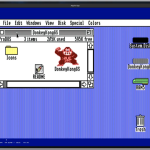
From Jawaid Bazyar:I am pleased to announce the release of GSSquared v0.8.0. GSSquared is an Apple II series computer emulator. Supported platforms Pre-built binaries This release brings full 3.5″ floppy support on the Apple IIgs, a much-improved Control Panel for managing disks, and better handling when you quit with unsaved disk changes. Features Accuracy Bug Fixes Internals https://github.com/jawaidbazyar2/gssquared/releases/tag/v0.8.0
The latest version of the Applewin Apple II Emulator is now available. Applewin v1 31.0.3 includes a reworked configuration graphical interface and is the 2nd beta release with this new GUI.. Change in the Tom Charlesworth led Applewin project are as follows: You can download the latest release of Applewin including both he betas and the stable releases from the Applewin GitHub page at:https://github.com/AppleWin/AppleWin
The 80th release of the Ample Interface for macOS brings the emulation interface with MAME 0.287. This update includes one additional ROM for the Ample interface. Also, be sure to re-download all of your Apple II related ROMs as they were updated in 0.286. The Ample MAME Interface can be downloaded from the GitHub page at:https://github.com/ksherlock/ample
From Jawaid Bazyar: I am pleased to announce the release of GSSquared v0.7.2. GSSquared is an Apple II series computer emulator. Supported platforms are: Pre-built binaries available for: This is a maintenance release, focusing on user interface – menus and interactive widgets of various types. User Interface Features Bug Fixes Internals *1: On Linux, because Linux is a dumb wasteland of ego, there is no platform-native menu interface an application can use with SDL that will work on all distros,…
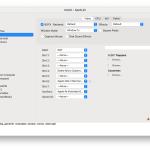
Kelvin Sherlock has released the latest update to the Ample Mac OS MAME Emulation Interface. Version 0.286 brings the following updates and changes to the Ample emulation interface: A2retroNET is a Super Serial Card that also supports 8 prodos/smartport disk images.It’s probably the easiest and simplest way to use a large number of disk images.You might want to back up your disk images just in case though. Note: Previous versions apple2gs and apple3 roms will need to be updated. You…
From Jawaid bazyar:I’m pleased to announce the release of GSSquared 0.7.0. GSSquared is an Apple II series computer emulator. Supported platforms are: Pre-built binaries available for: New for this release is the Apple IIgs support. Here’s what the IIgs includes, and does not include: Includes: ‘816 CPU, accelerated speeds up to 14MHz, ADB Mouse + Keyboard, partially-working Ensoniq Sound, Disk II and Block Device models; text, background, border colors; SHR; VBL, 1/4 sec, 1 sec, scb interrupts; two-button mouse support…

Kelvin Sherlock has released the latest version of the Ample MAME emulation interface for Mac OS. Several experimental items have been added in this version and changes include the following: A2retroNET is a Super Serial Card that also supports 8 prodos/smartport disk images.It’s probably the easiest and simplest way to use a large number of disk images.You might want to back up your disk images just in case though.— The Ample App is available for free download from the Github…

For those Mac OS users who have downloaded the latest version of the Virtual II Emulator, you will need to download the latest update to it. The Virtual II version 13.1.1 release addresses an issue, introduced in version 13.1, that caused some Apple II programs to fail. This latest version is available from the Virtual II Emulator website at:https://virtualii.com/

The Ample MAME interface for MacOS has been updated. Ample Version 0.284 brings the interface into line with the current release of the MAME Emulator. Also included in this version of Ample is the ability to match the MAME ability to select one of the options for the Apple II/II+ keyboard. If you use one of the alternate keyboards for you apple II emulation, you will need to download the updated apple2.zip file. All ROMs are downloadable from within the Ample…

Gerard Putter has announced the immediate availability of the latest version of the Virtual II Emulator, a full featured, shareware Apple II emulator for the Mac. This release addresses a number of issues reported by users of the emulator and included the following changes and updates: Further information about the Virtual II emulator, license information for the full Virtual II package and downloads of the latest update for the emulator can be found on the Virtual II website at:https://www.virtualii.com/

The Clock Signal Emulator (CLK) for Mac OS has been updated. The CLK emulator is a clock signal accurate emulator created and curated by Tom Harte that emulates over 30 different retro computing platforms includes a number of updated features including: Additional features and platforms are forthcoming. The CLK Emulator and source code are available on the CLK GitHub page at: https://github.com/TomHarte/CLK
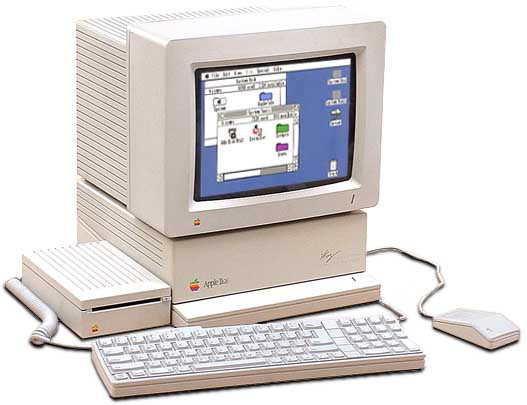
From Jawaid Bazyar:I am pleased to announce the availability of GSSquared v0.6.0. GSSquared is a complete emulator for the Apple II series of computers. It is written in C++ and runs on Windows, Linux, and macOS. This release is something of a maintenance release. There are some interesting user-visible additions, and there has been significant work done under the hood, in preparation for Apple IIgs emulation. The most notable changes to this over v0.5.0 are: * 100% accurate “Apple IIgs…

The Ample emulator interface for MAME on MAC OS has been updated. Ample version 0.283 is the 75th release of the interface and brings it in line with MAME version 0.283. Some of the current features of the Ample emulator interface include: Kelvin Sherlock, the curator of the project has made the latest version of the App available along with all source code on the Ample GitHub Page at: https://github.com/ksherlock/ample

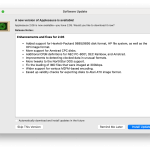
Client Release 2.06 – https://evolutioninteractive.com/applesauce/Applesauce_206.zip
The Ample MAME Interface for MAC OS has been updated. This update brings the latest release in line with the 0.282 release of the MAME emulator. A custom version of MAME is included in Ample. The custom MAME build focuses on Apple II/Macintosh emulators but also includes a handful of other 8/16-bit home computers (BBC, Tandy, etc). There are also a handful of UI tweaks (such as menu items) and, for the Apple II, Uthernet II support. A note for…
The Clock Signal Emulator (CLK), a multi-platform emulator for Mac OS by Tom Harte has been updated. This update is primarily focused on the BBC Micro emulation and includes the following changes: CLK is a clock accurate emulator that supports a number retro computing platforms including the following: the Acorn Electron, BBC Micro and Archimedes, Amstrad CPC, Apple II/II+/IIe and early Macintosh, Atari 2600 and ST, ColecoVision, Enterprise 64/128, Commodore Vic-20 and Amiga, MSX 1/2, Oric 1/Atmos, early PC compatibles,…

The latest version of the Ample Emulation Interface for the MAME multiplatform emulation package on Mac OS has been updated. Ample 0.281 includes the following updates: You can download the latest version of the Ample package from the Github page at:https://github.com/ksherlock/ample
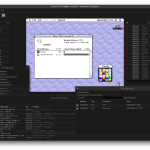
Snow, the open source Classic Macintosh Emulator has been updated. The Latest release, Version 1.1.0 includes a myriad of updates including the following: “Snow emulates classic (Motorola 680×0-based) Macintosh computers. It features a graphical user interface to operate the emulated machine and provides extensive debugging capabilities. The aim of this project is to emulate the Macintosh on a hardware-level as much as possible, as opposed to emulators that patch the ROM or intercept system calls. It currently emulates the Macintosh…



