Hardware

Apple Introduces 128gb 4th Generation iPad

ipad2012-step0-ipad-gallery-01-zoom

Apple has introduced a 128gb version of the 4th generation iPad with Retina Display.  The new iPad will be available to users on 5 February 2013 but is available for order immediately.   The standard WI-FI model will start at $799 USD with the cellular enabled model costing $929 USD.

The Press Release from Apple this morning follows:

CUPERTINO, California―January 29, 2013―Apple® today announced a 128GB* version of the fourth generation iPad® with Retina® display. The 128GB iPad with Wi-Fi and iPad with Wi-Fi + Cellular models provide twice the storage capacity of the 64GB models to hold even more valuable content including photos, documents, projects, presentations, books, movies, TV shows, music and apps.

“With more than 120 million iPads sold, it’s clear that customers around the world love their iPads, and everyday they are finding more great reasons to work, learn and play on their iPads rather than their old PCs,” said Philip Schiller, Apple’s senior vice president of Worldwide Marketing. “With twice the storage capacity and an unparalleled selection of over 300,000 native iPad apps, enterprises, educators and artists have even more reasons to use iPad for all their business and personal needs.”

iPad continues to have a significant impact on business with virtually all of the Fortune 500 and over 85 percent of the Global 500 currently deploying or testing iPad. Companies regularly utilizing large amounts of data such as 3D CAD files, X-rays, film edits, music tracks, project blueprints, training videos and service manuals all benefit from having a greater choice of storage options for iPad. The over 10 million iWork® users, and customers who rely on other incredible apps like Global Apptitude for analyzing team film and creating digital playbooks, Auria for an incredible 48 track recording system, or AutoCAD for drafting architectural and engineering drawings, also benefit greatly from having the choice of an iPad with more storage capacity.

“Our AutoCAD WS app for iOS was designed to give customers seamless access to their designs anywhere, anytime,” said Amy Bunszel, vice president of AutoCAD products for Autodesk. “These files are often large and highly detailed so having the thin and light iPad with its Multitouch display, integrated camera and all-day battery life, is a real advantage for iPad users to view, edit and share their AutoCAD data.”

“The features and capabilities of iPad give us the ability to set a new standard for multitrack recording and editing on a mobile device,” said Rim Buntinas, WaveMachine Labs’ CEO. “Users of the Auria app can play 48 mono or stereo 24bit/96 kHz tracks simultaneously, record up to 24 of those tracks simultaneously, and also edit and mix with familiar tools. With its portability and all-day battery life, iPad has revolutionized recording for audio professionals allowing artists to record anywhere.”

“The bottom line for our customers is winning football games, and iPad running our GamePlan solution unquestionably helps players be as prepared as possible,” said Randall Fusee, Global Apptitude Co-Founder. “The iPad’s unbeatable combination of security, being thin and light, having an incredible Retina display and also being powerful enough to handle large amounts of data enables us to deliver a product that takes film study to a new level and ultimately gives our users the best opportunity to prepare, execute and win.”

The fourth generation iPad features a gorgeous 9.7-inch Retina display, Apple-designed A6X chip, FaceTime® HD camera, iOS 6.1 and ultrafast wireless performance**. iOS 6.1 includes support for additional LTE networks around the world***, and iTunes Match℠ subscribers can download individual songs to their iOS devices from iCloud®.

iPad runs over 800,000 apps available on the App Store℠, including more than 300,000 apps designed specifically for iPad, from a wide range of categories including books, games, business, news, sports, health, reference and travel. iPad also supports the more than 5,000 newspapers and magazines offered in Newsstand, and the more than 1.5 million books available on the iBookstore℠.

Pricing & Availability
The new 128GB versions of the fourth generation iPad will be available starting Tuesday, February 5, in black or white, for a suggested retail price of $799 (US) for the iPad with Wi-Fi model and $929 (US) for the iPad with Wi-Fi + Cellular model. All versions of the 128GB iPad will be sold through the Apple Online Store (www.apple.com), Apple retail stores and select Apple Authorized Resellers.

*1GB = 1 billion bytes; actual formatted capacity less.
**Network speeds are dependent on carrier networks. Check with your carrier for details.
*** Information about LTE carriers can be found at www.apple.com/ipad/LTE.

Apple designs Macs, the best personal computers in the world, along with OS X, iLife, iWork and professional software. Apple leads the digital music revolution with its iPods and iTunes online store. Apple has reinvented the mobile phone with its revolutionary iPhone and App Store, and is defining the future of mobile media and computing devices with iPad.

Paperless for everyone: Doxie One is now available

Raleigh, North Carolina – Apparent’s new Doxie One, the simple and affordable new paper scanner for everyone, is now available worldwide. Doxie One scans anywhere in your home or office – no computer required – and syncs with your iPad, Mac, or PC. Included Doxie software offers a complete solution for going paperless.

Scanning made simple:
Doxie One scans your paper – simply, automatically, and with no computer required. Just push the button and insert your sheet. Doxie scans anywhere in your home or office. You get everything you need to go paperless in one box for just $149.

Paperless made personal:
When you’re ready to sync, organize, and share, Doxie works with your Mac, PC, & iPad to make going paperless easy. Doxie’s modern app for your computer provides intuitive controls to organize your way: save to searchable PDFs, share docs, and send to the cloud.

Doxie fits your life:
Doxie’s different than other scanners. It’s small – about the size of an empty paper towel roll – so you can tuck it in a drawer when you’re not scanning. Setup is easy: Connect power, insert an SD card (included), press Doxie’s button, and you’re ready to start scanning.

Doxie One

Why the desktop computer will stick around

As long as mobile devices such as my 3rd generation iPod touch still require me to squint at everything, and require me to jab at a glass screen to “type,” the desktop computer is still worlds easier to use for so many tasks.

Sarah Purewal at PCWorld thinks so, too.

It’s an intriguing proposition, but don’t count on mobile devices killing off your desktop PC any time soon. While mobile gear is certainly convenient when you’re trying to conduct business on the go, it’s nowhere near as convenient as a desktop when you’re trying to complete serious work in an office environment.

Sure, your phone, tablet or even laptop might conveniently fit in your pocket or backpack, but all these devices are fraught with compromises, whether it’s computing power, screen size, or, well, a really expensive price tag.

Read 10 Reasons why the desktop PC will last at PCWorld.

The hard drive crisis: petabytes of storage, banned from Costco

When last year’s hard drive shortage threatened Backblaze’s all-you-can-store cloud backup service, the company had to get creative to keep up its 50TB-a-day hard drive habit. The solution: external hard drives from retail stores and an army of volunteers making sure they kept coming.


“We buy lots and lots of hard drives . . . . [They] are the single biggest cost in the entire company.”

Those are the words of Backblaze Founder and CEO Gleb Budman, whose company offers unlimited cloud backup for just $5 a month, and fills 50TB worth of new storage a day in its custom-built, open source pod architecture. So one might imagine the cloud storage startup was pretty upset when flooding in Thailand caused a global shortage on internal hard drives last year.


“Literally overnight,” Budman told me, “… all the places we would go to get drives said, ‘Sorry, we don’t have any drives.’”

Read the full article by Derrick Harris on gigaom.

Duplex printer tip:

A couple of weeks ago I noticed my HP printer was no longer printing two sided pages. Strictly speaking this was with Linux but it could happen with the Mac as well since they use the same printer driver software… I figured it was an application problem with Thunderbird and Firefox since all the other applications (and computers on my LAN) worked fine. It never occurred to me it was a driver problem.

Thanks to some prodding by Adam T. at one of the computer clubs I attend, I thought I’d give it a try since there was nothing else left to try. I found some information at https://bugs.launchpad.net/ubuntu/+source/ghostscript/+bug/885118 which seemed relevant. On this page they suggested accessing the CUPS driver directly by accessing the HTML page at http://localhost:631/. This opens the page on the local computer rather than heading out to the internet…

From there I found the defaults were altered by an update. Sure enough CUPS thought it was a single sided printer. I told it to set the default to print on both sides of the page. It whined and said the duplexer was not enabled. The next thing I did was to enable the duplex unit. At that point it accepted the changes.

So far I was only able to print a single six page document from Firefox, but it looks like this solved the problem.

DIY antenna for TV tuner cards and new generation TVs

A couple of months ago I posted an article about a “home made” antenna I made from plans on the internet. A couple of days ago I completed an antenna with a different design I also found on the internet. Last night I held a demo of it for some friends (including a couple of retired TV/RADAR/HAM professionals. They were fairly impressed with the results and sensitivity. Considering the darned thing was made of wood and mostly wire coat hangers it would be hard not to be impressed.

Here is some information on the design I was using… http://www.digitalhome.ca/ota/superantenna/ There have been some improvements since then… http://www.jedsoft.org/fun/antennas/dtv/gh.html However I chose to build the older version because there was less work involved.

The performance outdoors was fairly impressive. The design was for UHF only. While aiming it toward the center of town where most of the transmitters are located, it was able to pick up all four of the UHF stations in town. After a friend of mine suggested pointing it toward one of the VHF transmitters we all got the idea to see if we could get the two VHF stations as well. Sure enough with some careful aiming we were able to get both of the VHF stations. For one station we had to lift the antenna a couple of metres off the ground but  that was to be expected when the transmitter is slightly farther away. Had I not left the remote for the TV at home we could have tried for a couple of North Dakota stations.

The demonstration took place on the other side of the city from where I live. This afternoon I tried it in the back yard. The UHF stations were clear but there was trouble with the VHF stations even when aiming at the transmitters. Even trying the American stations there was no signal. Given the back yard is surrounded on three sides by stucco buildings, and there are no transmitters on the fourth side, I suppose the difference in performance is reasonable. Indoor performance wasn’t anything to write home about. In the basement only three UHF stations were visible.

I have a picture of what it looks like. I chose the location because things are highly visible. Ignore the power cables coming out of the power bar.

SBGH antenna

Single Bay Gray-Hoverman antenna

Here is a short list of what people will need to get digital broadcast TV.

  1. A broadcast source (a TV station).
  2. An antenna (like the design I wrote about – rabbit ears don’t cut it any more).
  3. A TV
  4. A digital receiver (new generation TVs have this built in as do new TV tuner cards).

Here is some technical info for people to keep in mind.

  • For the most part broadcast TV is line of sight.
  • Buildings with a lot of metal (like a mesh for stucco) tend to decrease signal strength.
  • Outdoor antennas are better than indoor.
  • The higher up an antenna is located the more stations it can “see”.
  • Directional antennas (like this one) should be pointed toward the broadcast tower for the best results.
  • Digital TVs are fine with weak signals up to the point where not enough information makes its way to the TV.
  • Night time reception is better than day time reception.
  • TV stations over the horizon may occasionally be seen by the antenna but this phenomenon is not consistent.
  • The further away the TV station is the weaker the signal.
  • The quality of the antenna construction is very important.

My next antenna project will be to build one of the newer versions of the antenna. I’ll need some serious help to do a good job. Fortunately I know a few people. ;-)

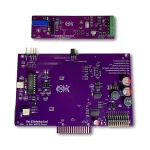
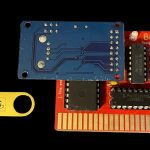
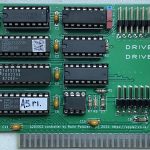
R&D Automation to Produce 2nd Run of CFFA3000 Cards

R&D Automation announced in a blog posting last week that they will be producing a new run of the CFFA3000 cards for the Apple ][.  The CFFA3000 is a card which allows the Apple ][ to use Compact Flash Cards and USB Thumb Drives for hard drive storage of disk images.  According to the R&D Automation website, "We are now in the process of getting final quotes on parts for run #2 of the CFFA3000. We hope to be placing orders for the parts this week or next. We have not made a final decision on the run size yet, but we are looking at quantities of 400 and 500. The price of the next run will likely stay the same at US$149.95. It should be available in summer of 2012.

We are also adding support for image file directories to the firmware and making a lot of optimization to speed up all disk operations. Time permitting we will also be looking into DMA support, but there is still much work to do before we have something to test.

The previous run of cards sold out in a matter of days after the much anticipated update was released.  The specifications of the new card are as follows:

  • A CompactFlash / USB flash drive interface for Apple II family of computers
  • Support 1 to 13 partitions under ProDOS and GS/OS, and 2 virtual floppy drives
  • Virtual Floppy image support allows the use of almost any non-copy-protected floppy disk image, including .dsk, .2mg, and .nib files. Note: .nib files of protected floppies will not work with the CFFA3000
  • Allows storage of thousands of floppy and smartport disk images
  • User configurable partition count
  • Boot from either device and any partition
  • Allow booting from Dos3.3, Pascal, CPM, Contiki, ProDOS or GS/OS directly from the Interface card (for a floppy-less system)
  • Configurable as a CFFA smart port controller (i.e. a mass storage device) or as a floppy controller, or both. When configured as both, requires 2 slots in your Apple II, one for the physical card, and one for the virtual floppy controller.
  • Hardware supports DMA, although v1.0 software does not currently support DMA. Future support is planned, but not guaranteed.

To order a CFFA3000 Card, you will need to email Rich Dreher, the proprietor of R&D Automation using the “email me” link on his sales webpage at:

http://shop.dreher.net/

Old School Ingenuity Allows Split Screen iPhone Recording

One of the simplest and the lowest tech devices made for the iPhone is the new “Love Box” for the iPhone 4 / 4S.   The device is a grooved piece of wood with a sliding mirror allowing for both the back of the camera and the front view of the camera to be recorded at the same time, making The Love Box the first device to allow true split screen video mixing without all of the hassle.

The Love Box was created by an advertising agency in Barcelona, Spain, Honest&Smile, and is a truly hand made item harkening back to making cases for the Apple-1 computer.  The Love Box is priced at 40.68 Euros on Etsy.  While, it is such an item that anyone could make, the actual item is stamped and comes with a poster.  They will also email you tips on making your own Love Box.

The website for The Love Box is at:

http://www.thelovebox.com

Booting from IDE drive when there are SATA drives

This is a generic sort of article… I have only tried it on one type of machine but this advice may prove useful in other situations.

As regular readers know, I volunteer at an educational non-profit organisation every Friday as a systems administrator.One of the privileges is I get to borrow a computer every so often for one of my projects. In this case I had a computer I was using as a file server (using FreeNAS v7.x). Since I had it for over three years I figured it was time to get something a little newer. A client returned a Dell GX 270 because he no longer needed it. I asked and was granted permission to replace the older machine with this one.

At first I only had two hard drives to work with. The first was the hard drive from the old computer and the second was the drive from the new one. I was able to boot from the old drive with no problem. Adding in the new drive so it would be accessed over my LAN was also easy. I had a third drive. It was a 500GB SATA drive. I had everything but the power adapter so it took a few days to connect.

The SATA drive was one I had in my Linux box before the motherboard died. It still had all the information as well as the master boot record intact. Once it was added into the 270 it wanted to take over. Like Macs there is an option which allows the user to select which drive to boot from. For a file server that’s not an acceptable solution. In this case it didn’t work very well either. The boot process was hung for 15 minutes…

After a bit of research on the net I found the solution was to boot from a rescue CD/DVD and toggle the bootable flag on the first partition on the hard drive to off. From that point things worked fine. I don’t know if the hard drive works or not since it was only yesterday I added it to the machine. Assuming there are no hardware problems I should be able to do a bunch of neat things like create virtual machines which are stored on  the LAN, set up a private iTunes server, and back up the Mini I am using at the moment…

TV tuner and a DIY antenna

It’s going to take a while to get to the computer related material in this article. Please be patient.

Ever since I was a little kid I’ve been curious about the world around me. I was the type of kid who wanted to see what was on the next block or figure out how dolls were made (yes I took them apart and put them back together again). The only time I got into trouble for it was when a big kid thought he was doing the neighbourhood parents a favour and told us little kids not to go near the river because there was a big monster there. We wouldn’t have gone there anyhow but we really wanted to see that monster. We were so disappointed we told our parents. I didn’t see why they were so upset. We made sure not to go near the river. We stayed a whole six inches away from the water. ;-)

Later I wanted to figure out as much as I could about radio and TV. I used to lay awake for a couple of hours per night listening to short wave and AM just to see how far away the stations I could pick up were. As I recall, the name of the hobby was called DXing. I was able to get stations from South Africa and Moscow on short wave and as far south as the American gulf coast on AM. Now all I can get on short wave is Radio Cuba and American religious stations. TV was similar. When I wanted to see what was available over the air we only had three Canadian stations and one American station. With the switch to digital (many years later) I found we had six Canadian stations and (depending on location) one American station. Actually we have cable in the house and I am satisfied with it. It’s just that I’m still curious about what I can get locally.

I mentioned this to a friend at a local computer club and he suggested I connect my cheap LCD TV to an external antenna. I had previously connected it to our old VHF antenna and was pulling in five of the six Canadian channels. The American channel was a lost cause. He pointed me to the “coat hanger” antenna plans at Make magazine (it’s a DIY magazine like popular mechanics used to be). After reading the description I found it to be a UHF antenna. This was fine for me since four of the local stations were now on UHF (including the one I couldn’t get earlier). The other two Canadian stations and the American station were on VHF-High. I built the antenna and had some interesting observations. In the basement I was able to get two stations. That makes sense because UHF frequencies are basically line of sight. On the ground floor of a house covered in stucco (which filters out some signals) I was able to get all four UHF stations (including the one I couldn’t get before) and one of the VHF stations. The quality of the signal also improved since there were less “drop outs”. After a bit of research I found line of sight improves as the height of the antenna increases.

Not being satisfied I did a bit more research. First off, TVfool.com (a list of TV signals theoretically available in a given area) showed there were additional stations just beyond the horizon. On a good day before the digital conversion we used to be able to pick up two of them when the signals bounced off the troposphere. Apparently there are another three or four more in the area. Then there was video of one guy who lives slightly North of me being able to pick up Minnesota stations. This was a shock because North Dakota is directly to our South and much closer. It was about that time when I discovered plans for the Grey-Hoverman antenna (released under the GPL3). Apparently this antenna is so sensitive it puts the coat hanger antenna to shame.

While I was out shopping for material to build the new antenna I was talking with a sales person and a TV engineer I met at an auto supply place. They both decided to give it a try themselves earlier than I had. One of them was using a TV tuner card on their PC with the four inch antenna that came included in the box. The other guy had an expensive TV with a cheap commercial antenna (he was opposed to cable and satellite TV on principal). Their experiences were strange. Apparently neither were satisfied with expensive commercial antennas and found the cheap ones were just as good if not better for their needs. Both were able to pick up all the stations in town as well as the American channel. I told them what I was looking to do and I was looking to spend $10.00. They said for that price it was worth giving it a try.

At the moment the build for the Grey-Hoverman antenna is stalled due to a cold.

Here is the computer related part. Another computer club was looking for a presentation last month. I figured since I had the coat hanger antenna we could look at a TV tuner card. A member of the club has a friend who works at a local computer store and he asked me if he could help. I suggested he see if he could borrow a cheap $50.00 digital tuner card. The store loaned us the top of the line $250.00 card for the meeting (Thank you MyMacDealer for the free loan). On the day of the meeting I realised the building was of a cinder block and rebar type construction. It also had lots of steel heating ducts and such. Essentially this meant it was worse than my house for getting signals. Plus we were also meeting in a room smack dab in the center of the basement. The package didn’t come with the four inch antenna I anticipated. It didn’t come with any antenna at all. I had my doubts it would work. Without an antenna there was no signal at all. With the coat hanger antenna it brought in one strong and one weak signal. Much better than expected. I showed the plans for the coat hanger antenna to an engineer as well as a city technologist. They thought the design was very ingenious. A couple twists here and there introduced some noise cancellation features. According to what they said the coat hanger antenna performed much better than expected.

Once I build and test the Grey-Hoverman antenna I’ll approach the other group and see if they want to do a live demonstration of Myth-TV. This way they can test the two antennas side by side. They will be using a different tuner card. The one for the Mac had a single tuner and connected to the USB port. The one these guys use has two tuners and is an internal PC card. The cost of this particular card is about $150.00. Boiled down to the nitty gritty… The TV tuner cards work. If it doesn’t then return it and try a different model.

Some DIY stuff… The construction method I used with the coat hanger antenna was pretty shoddy. Further reading suggests it is really hard to go wrong with this one. Just make sure the wires are not touching when the connecting elements cross (insulated wire is a good choice here). The coat hangers should be scuffed so as to remove any paint and rust so they can come in contact with the connecting elements.

For the Grey-Hovermann antenna it is best to build a jig for bending the wires to the correct angle and cutting them to the correct length.

If anyone is looking for increased sensitivity and distance, connecting two identical antennas together will work. However anything more than a dual bay (two antennas) results in diminishing returns and isn’t worth the effort.

It is possible to angle both antennas in a dual bay differently. However if they are at a 90 degree angle the signals cancel out.

Reflectors can increase the sensitivity up to 30% but turn the antenna into a directional antenna.

Using wood as a mounting material means the antenna is designed for indoor purposes only. Outdoor antennas are typically mounted to PVC or insulated metal.

Outdoor antennas need to be grounded.

For the most part for a basic antenna, scrap material can be used for minimal cost. Using better quality materials and better construction methods will improve the output somewhat.

As a radio tech friend once told me. “All you need to get a signal is a long enough piece of wire. Anything else is just getting fancy.”