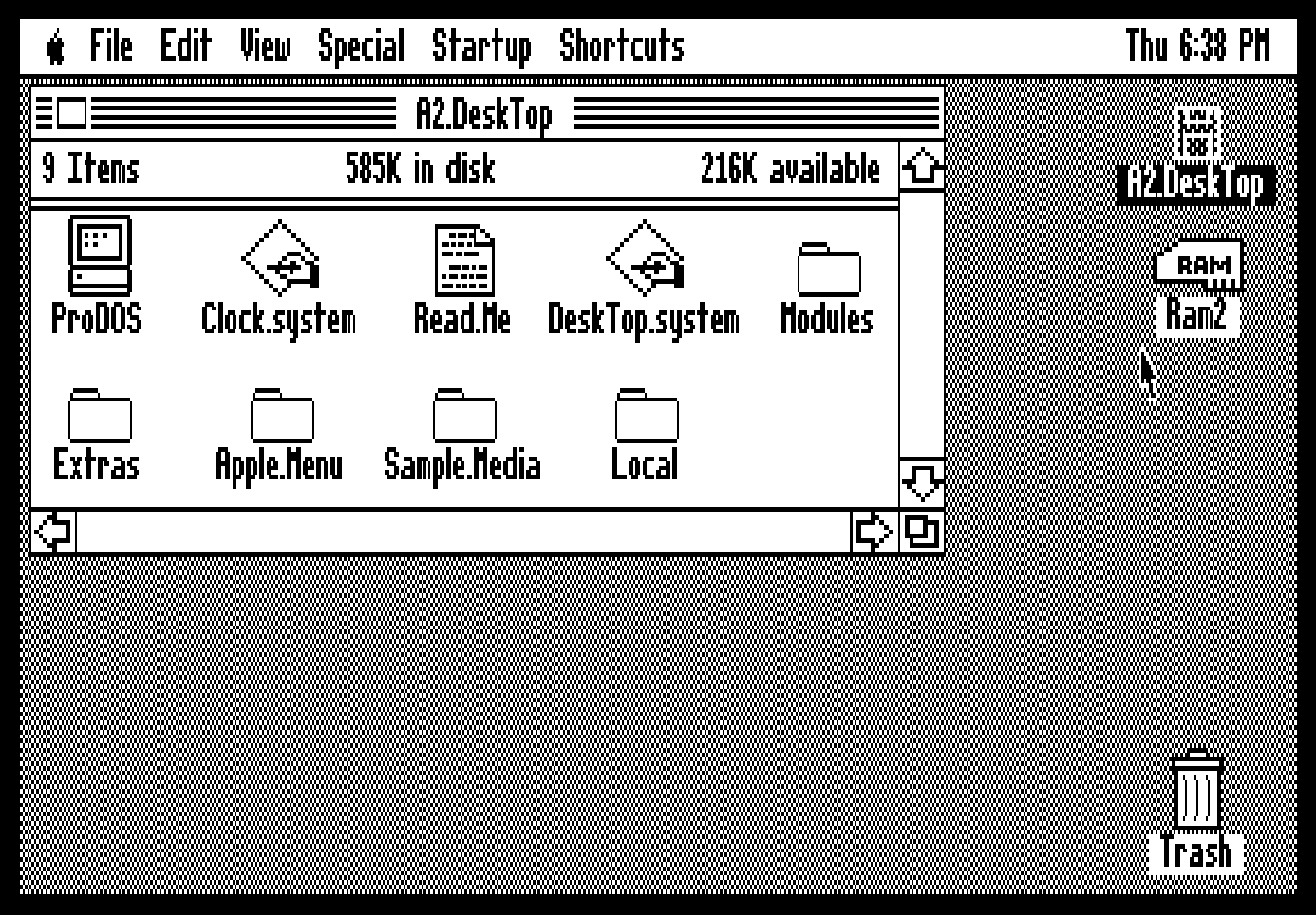
The Apple II Desktop or Mousedesk as it was known originally has been updated. The A2Desktop project, led by Joshua Bell, is now in its fourth full rendition since the initial release of the initial updated platform. The Apple II Desktop is a graphical user interface built upon ProDOS which gives the user a fully mouse controllable Macintosh like experience on the Apple II series computers.
Changes in the Apple II Desktop App since the full version 1.5 release include the following items:
General
- Eliminate cursor flickering when mouse is moved.
- Improve visibility of button flashing using VBL.
- Adjust movement scaling in MouseKeys mode.
- Change MouseKeys mode to make dragging easier and support modifiers:
- Space clicks the mouse button
- , (comma) presses and holds the mouse button
- . (period) releases the mouse button
- Solid Apple is now just a modifier as normal
- Improve appearance of watch cursor.
- Ensure text caret is visible after key/click.
- Reduce cursor flickering while menus are drawn.
- Reduce cursor flickering while list view rows are drawn.
- Improve appearance of menu items with check marks.
Launcher
- Fix crash after 40 restarts.
DeskTop
- Show correct icon state after failed operation that closes window.
- Fix display of window header when partially offscreen.
- Fix spatial navigation when all icons are selected.
- Horizontally center file icons with respect to their grid position.
- Show disk name when prompting for source/destination disks.
- Allow keyboard navigation after clicking on volume icon, even with window open.
- Improve performance changing views with large numbers of icons selected.
- Remove support for keyboard scrolling via Apple+S.
- On window close, repaint overlapping windows before the animation.
- Reduce cursor flickering while icons are drawn.
- Eliminate cursor flickering when clicking on the desktop or windows.
- Time window open/close animations using VBL.
- Add Apple+Esc as shortcut to clear selection and focus window.
- Add Open Apple+Solid Apple+Esc as shortcut to clear selection and focus desktop.
- Prevent volume icon flicker on startup with empty Disk II drives.
- Don’t show About dialog when Control+Shift+2 is pressed.
- Fix hang after 60 restarts.
- Fix error shown after non-empty directory fails to delete.
- Fix hang after non-menu shortcut if window fails to open.
- Fix behavior after File > Duplicate failed due to space or storage type.
- Set empty window maprect so that when restored with new file scrollbars are inactive.
- Fix volume icon flicker after Special > Check All Drives for removable disks.
- Select volume icon after successful Special > Format DIsk…/Special > Erase Disk….
- Fix display of long device names in Special > Format Disk…/Special > Erase Disk… volume picker.
- Animate Apple > About Apple II DeskTop window open/closed.
- Animate Apple > About This Apple II window open/closed.
- Animate Date & Time DA window open/closed when menu clock is clicked.
- Reduce cursor flickering when copying / deleting files.
- Don’t repaint scrollbars before window when resizing.
- Eliminate scrollbar repaint after window opens.
- Fix “Unexpected error” seen when copying certain directories.
- Allow Shift+Arrow keys to extend icon selection (IIgs/Platinum IIe)
- Don’t case-adjust SmartPort device names that are already mixed-case.
- Eliminate unnecessary window refreshes after canceled move/delete.
- Add option to skip checking 5.25″ drives on startup.
- Support launching CHIP-8 files.
Selector
- Fix potential hang after 30 restarts.
- Reduce cursor flickering when copying programs to RAMCard.
Disk Copy
- Don’t erroneously show “DOS 3.3 disk copy” when source format is unknown.
- Flash OK button when a disk is selected via double-click.
- Fix copying all blocks on 32MB volumes.
- Erase tip once copy is complete.
- Reduce cursor flickering during copy.
- Fix copying all blocks on volumes with unusual sizes.
Desk Accessories
- About This Apple II
- Add accessories to IIgs bitmap.
- Show Aux slot separately from Slot 3; include aux-specific memory count
- Don’t case-adjust SmartPort device names that are already mixed-case.
- DOS 3.3 Import: Fix keyboard shortcut handling.
- Sounds: Time “Silent” menu bar flash using VBL.
- Screen Savers: improve animation for Flying Toasters, Hexix, Message and Melt.
- Calculator & Sci.Calc: fix clicking button edges and button spacing.
- New Screen Saver: Maze
The Apple II Desktop is available now in 10 different languages. You can download the latest version of the Apple II Desktop application for the Apple II series computer from the A2Desktop Github page at:
https://github.com/a2stuff/a2d