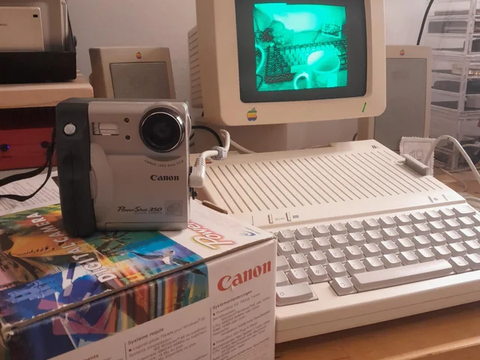
From Emmanuel Castello
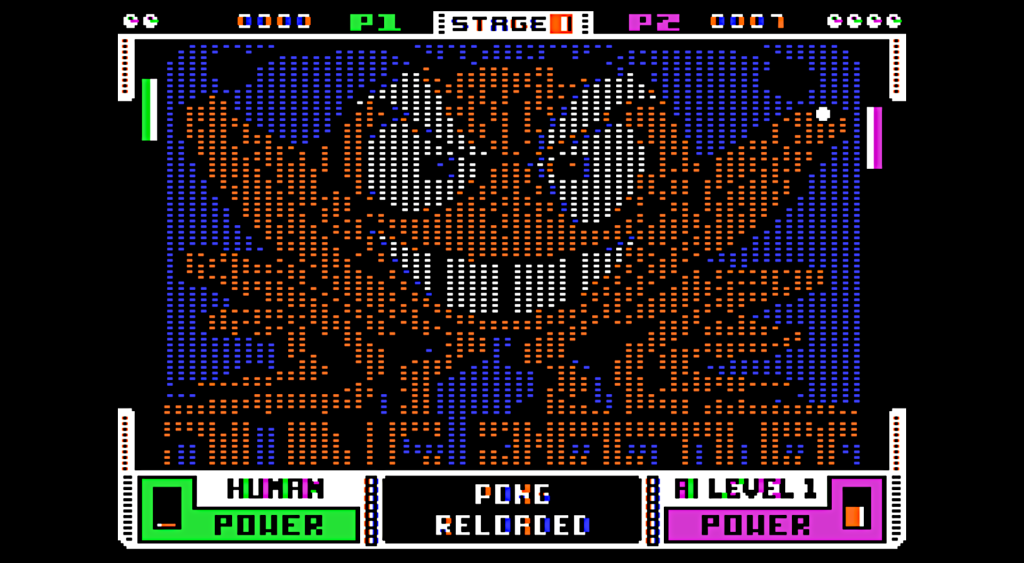
I wrote a new game for the apple II, and arcade simple game, based on one of the oldest video games, PONG.
So here’s the version 1.0 of PONG RELOADED, for the Apple II.
Except for a few bitmaps minor bugs, the only untested part is the physical paddles on a real Apple II because I don’t have them at home. So if anyone does, please let me know how the game feels on the real hardware.
On the APPLEWIN emulator for the PC, you can go to the Applewin configuration (button with a joystick and sound on the right), and then go to “INPUT” and set Mouse as Joystick 1. It works very well with this game.
For the MACOS Emulator, I am not sure if we can emulate the joystick/paddles with the mouse.
Although there is a Keyboard option (only for player 1), we must remember that PONG was originally designed for paddles, so playing with keys is extremely difficult and clumsy.
Pong Reloaded is available as a free download from the A.P.P.L.E. Store
GAME INSTRUCTIONS
Start the game by pressing any key to go to the main options menu. Hit <1> and <2> to select the players 1 and 2 mode (human or AI for computer as a player). The AI has 3 levels, level 1 fairly easy, level 2 pretty challenging, lever 3 extremely difficult, and Wall Mode imply impossible.
Once the games starts, a nostalgic apple II bitmap image will scroll up on the screen, and a new picture will appear every time you level up on stages (total of 5 stages). You can hit the <ESC> key to skip the scroll up and get to the game faster.
The game starts with the human paddle on the left, when the ball is released at a very moderate speed. To increase the strength of the hit-back, hold the button of you paddle (or your mouse if using Applewin). Doing so you will notice that the power gauge goes down, meaning that you are accumulating power for the next time that you hit the ball. The power gauge reloads a bit every time you hit the ball back, so it is better to avoiding pressing the button until the gauge is well reloaded.
Level one is just Paddle vs Paddle. On level two a central pad moves up and down, to increase the challenge and add some diversity to the gameplay. That pad gets faster and faster at the later stages.
Starting at level 3, another Pad will appear on the screen when you failed to defend a ball hitting the walls on the upper and lower part of your side. That pad will only block the balls coming from the opponent, but the balls will pass through when hit by the attacker.
OBS: If you want to quit during a game and go back to the starting menu, just hit the <ESC> key and then hit the <Y> key. Hitting <ESC> again will resume the game where you left it.
Catching the ball on the extremities of the pad will increase the angle of return.
Hope you enjoy it
As always, cheers!!